Python: From Fundamentals to Reliable Programs / Installation & setup
CLI tools & setup
Prepare your workspace, run a small example and check the result before starting the course.
Set up Python and run your first file
Install the Python interpreter, save a small program, and see the difference between a saved file and the interactive Python prompt. The browser exercises remain available while you set up your own computer.
New to coding? Meet the tools and find the terminal
- Python interpreter
- Reads and executes Python source files.
- Text editor
- Creates and saves .py source files.
- Virtual environment
- A project-specific Python environment for packages. You can create one after the first file runs.
A terminal is a window for commands. Its shell interprets those commands. PATH is the list of folders the shell searches for programs. An editor extension adds editing help; it usually does not install the language itself.
In VS Code, open your project folder, then choose View → Terminal. Type at the cursor in the Terminal panel, not in Output, the source file, or the browser address bar. Our command blocks omit prompt symbols such as $ and >; do not add them.
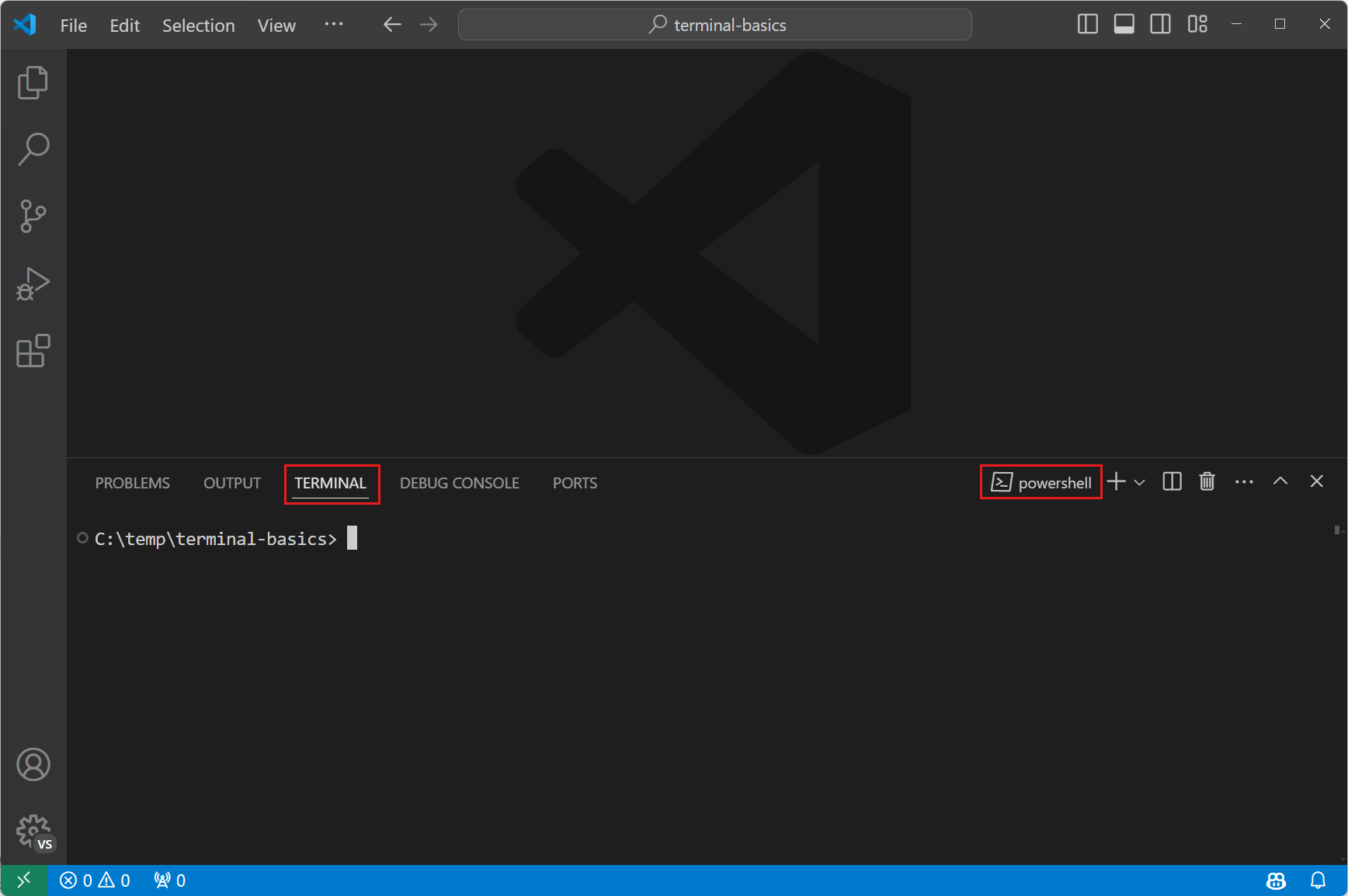
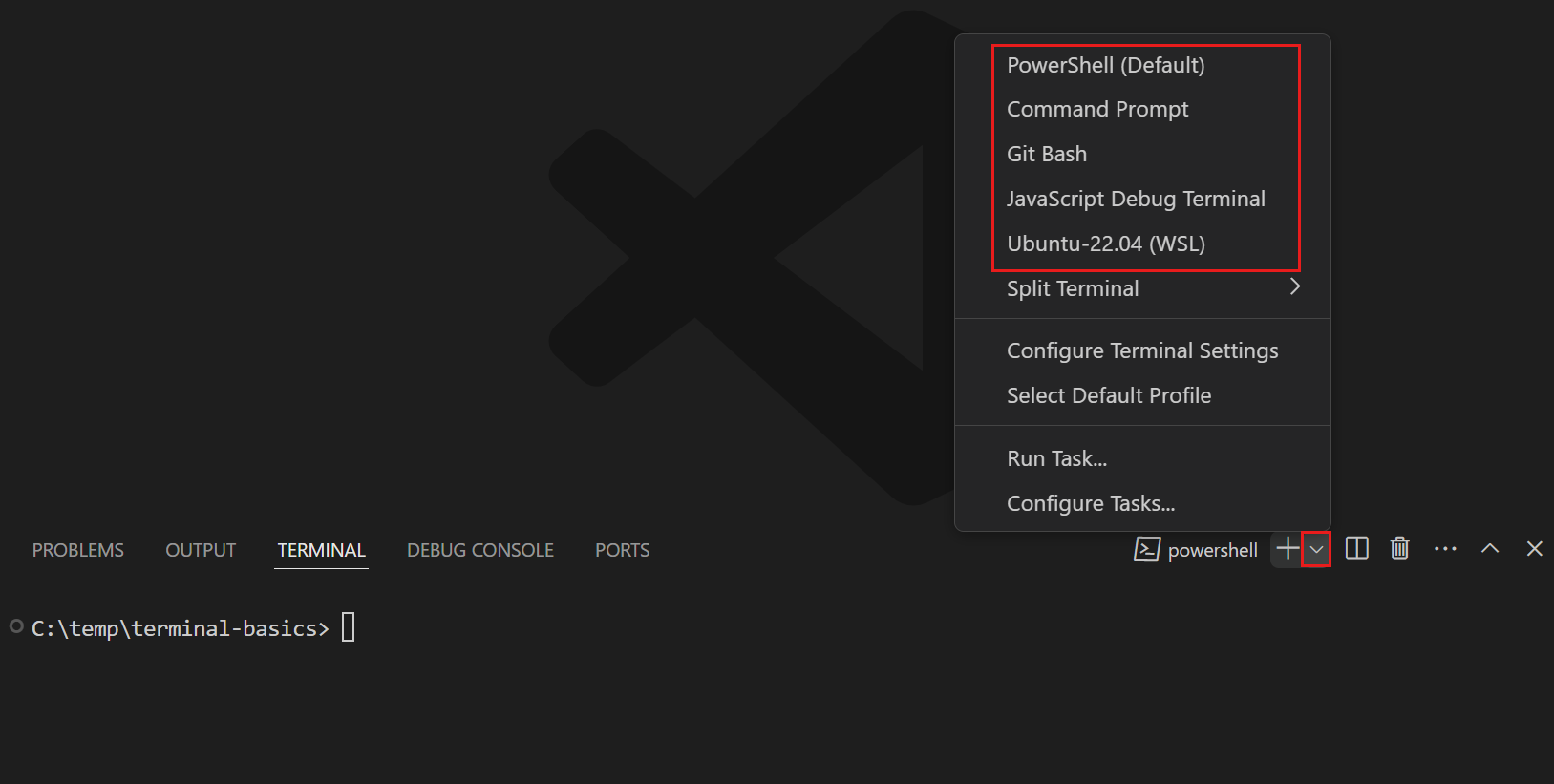
The dropdown next to the plus button selects a shell. Choose the shell named in your operating-system instructions below. Available choices depend on what you installed.
Choose a system to see its installation steps. A computer is needed for these local setup instructions.
Official documentation and illustrated guides
Instructions reviewed 2026-10-27. Use the linked installer page for current versions and supported operating systems.