
HashMaps
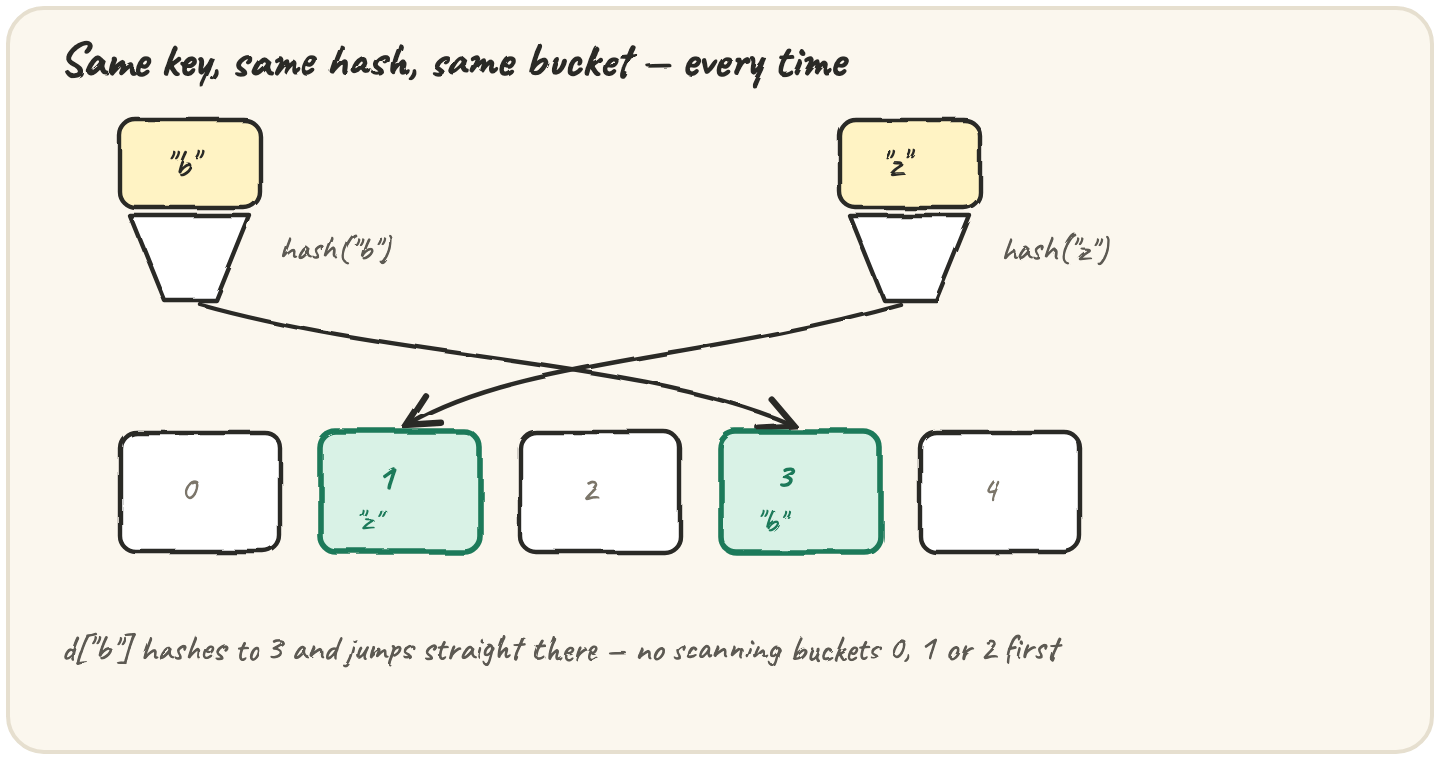
In short: a Python dict is a hash table — every key is run through
a hash function that picks which "bucket" it lives in, so d[key] jumps
almost straight there instead of scanning every entry. That's why dict
lookup stays fast even as a dict grows huge, unlike checking x in a_list,
which has to walk the list one item at a time. The catch: a key's hash must
never change while it's stored, which is why only hashable things —
strings, numbers, tuples of hashable things — can be keys, and a list
can't. The DSA course covers collisions and hash-function design in depth;
this is the Python-shaped version: how to actually use the hash table you
never had to build.
Check if a username is already taken
A signup form checks a new username against everyone already registered.
With 50 users, scanning a list to check membership is invisible. With 5
million, it isn't — and that's the mistake: a list in check and a dict
in check look identical in code, but they don't cost the same thing:
hash("asha_k") is the same number every time in one run — that's what
lets a dict go straight to the right bucket instead of comparing the string
against every username already stored:
taken = {str(i): True for i in range(10000)}
print("9999" in taken)A list of 10,000 usernames checked with in walks, on average, half of
them before finding (or missing) a match. A dict with the same 10,000 keys
jumps to the right bucket in roughly the same handful of steps no matter
how many keys it holds. That's the entire reason to reach for {username: True} or a set instead of a list the moment "is this already here?"
becomes a real question.
Store a shopping cart by item combo
A grocery app wants to remember a quantity for each combination of items
a customer buys together — say, ["milk", "bread"] as one cart line. The
natural instinct is to use that list straight as the dict key:
TypeErrorRun it and read the error. Then make it work using an immutable key.
The mistake is reasonable — a list and a tuple hold the same data — but a
key's hash is computed once and must stay valid for as long as it's stored
in the dict. A list can be appended to or sorted after it's used as a
key, which would silently change its hash and corrupt the bucket it's sitting
in. Python refuses to take that risk and raises TypeError up front. A
tuple can't be mutated after creation, so its hash is safe forever — swap
["milk", "bread"] for ("milk", "bread") and the same idea works.
Strings, numbers and tuples (as long as everything inside them is also
hashable) all work fine as keys. Lists, dicts and sets never do.
Count votes in a poll
The single most common real use of a hash map: counting.
dict.get(v, 0) reads the current count, or 0 the first time — one line,
no if v in counts check needed first. The trap people hit instead is
reading a key that was never counted with plain brackets:
KeyErrorRun it, read the error. Then print 0 for a menu item that isn't in totals.
d[key] demands the key exist and crashes if it doesn't; d.get(key, default) always returns something. That one-word swap (get instead of
[]) is the pattern (and setdefault, for grouping into lists) that
covers most of what you'll reach for a dict to do.
Quick practice
seen = {}
for ch in "banana":
    seen[ch] = seen.get(ch, 0) + 1
print(seen["a"], seen["n"], seen.get("z", 0))d = {}
d[(1, 2)] = "point A"
print(d[(1, 2)])🎯 Your turn
Write count_frequencies(items). Return a dict mapping each distinct item
to how many times it appears in items:
count_frequencies(["a", "b", "a"])→{"a": 2, "b": 1}count_frequencies([])→{}
Hint — counts[item] = counts.get(item, 0) + 1, once per item, starting
from an empty dict.
Press ▶ Run, try the Live App chips, then ✓ Check. After that, the practice set below groups, dedupes and inverts using the same hashing underneath.