
Package Managers
In short: pip is the tool that reads PyPI, the public index of published
packages, and installs one into your environment. A bare pip install requests
grabs whatever is newest today — a version specifier like requests>=2.31
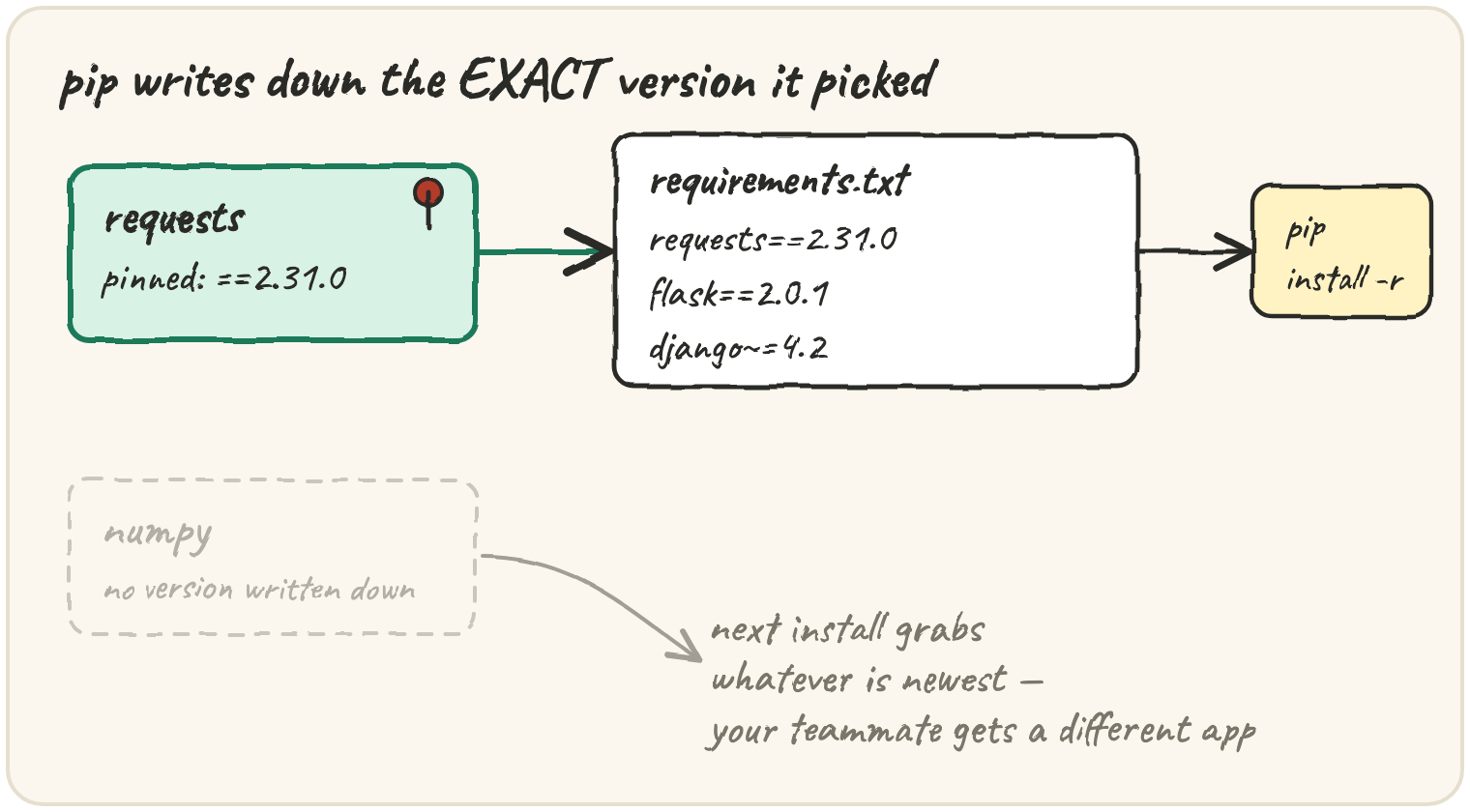
narrows it and requests==2.31.0 pins it, and pip freeze > requirements.txt writes down
every pinned version your project actually ran with, so pip install -r requirements.txt rebuilds the exact same environment anywhere. Newer tools —
uv, Poetry, pdm, Conda — all do that same job (resolve
versions, write a lockfile, install into an isolated environment) with
different trade-offs in speed and scope. None of them can run inside a
browser, so this lesson reads real commands and builds the one piece that
is plain Python: parsing a requirement string.
Pin a dependency before a release
A script works today because it happens to get requests 2.31. Six months
later a teammate runs pip install requests and gets 3.0, which renamed a
function. The fix isn't "don't upgrade" — it's writing down which version
you tested against:
pip install requests==2.31.0        # exact version — the strongest pin
pip install "requests>=2.31,<3"     # a range — allow bugfixes, block a major bump
pip freeze > requirements.txt       # write down EVERY installed package, pinned exactly
pip install -r requirements.txt     # anyone, anywhere, gets the same environment
pip freeze pins everything, including packages you never installed directly
(they came in as some other package's dependency). That's good for
reproducing a working environment, noisy for reading by hand — which is why
requirements.txt in a real project is often hand-edited with just the
direct dependencies, each with a specifier:
requests>=2.31
flask==2.0.1
django~=4.2
~=4.2 means "4.2 or newer, but not 5.0" — compatible-release pinning. A bare
requests with no specifier at all is valid too; it just means "whatever's
newest," the exact risk pinning exists to avoid.
(venv creates the isolated folder a project's packages live in — covered in
full in section-15. This lesson is about what goes into that folder, not
the folder itself.)
Read someone else's requirements.txt
Reading a specifier by eye is a skill: requests>=2.31 is a name
(requests), an operator (>=), and a version (2.31). Splitting it
apart is ordinary string work, and it's the one part of this topic that runs
anywhere:
The operator list is checked longest first — >= before > — because
> is a substring of >=. Check > first and requests>=2.31 would split
on the wrong character and leave a stray = stuck to the version.
def parse_requirement(spec):
    for op in (">", "=="):
        if op in spec:
            name, version = spec.split(op, 1)
            return [name.strip(), op, version.strip()]
    return [spec, None, None]

print(parse_requirement("requests>=2.31"))Choose a tool for a new project
pip plus venv is the standard library's answer and works everywhere.
Newer tools wrap the same ideas with a lockfile and a faster resolver:
| Tool | What it adds over pip + venv |
|---|---|
| pip | installs from PyPI; no built-in lockfile or dependency resolver speed |
| uv | a pip-compatible installer written in Rust — the same commands, far faster resolves |
| Poetry | one pyproject.toml for dependencies and packaging, plus a committed lockfile |
| pdm | similar to Poetry, built around the PEP 582/621 standards rather than its own format |
| Conda | manages non-Python dependencies too (C libraries, compilers) — common in data science, where a pure-PyPI wheel isn't enough |
None of them change what a version specifier means — >=2.31 still means
the same thing to uv as it does to pip. They differ in how fast they
resolve a tangle of specifiers into one consistent set, and how much they
manage beyond Python packages.
A project's build needs a specific version of a C compiler, not just Python packages. Which tool is built for that?
Quick practice
def has_pin(spec):
    return "=" in spec

print(has_pin("requests>=2.31"), has_pin("flask>3"), has_pin("numpy==1.26.0"))It should count every spec that has an operator at all, including bare > and <. It prints 2; it should print 3.
specs = ["requests>=2.31", "flask", "numpy==1.26.0"]
pinned = [s for s in specs if "=" in s]
print(len(specs) - len(pinned))def parse_requirement(spec):
spec = spec.strip()
for op in ("==", ">=", "<=", "~=", "!=", ">", "<"):
if op in spec:
name, version = spec.split(op, 1)
return [name.strip(), op, version.strip()]
return [spec, None, None]
print(parse_requirement("pytest!=7.0"))🎯 Your turn
Write parse_requirement(spec). Given a requirement string, split it into
[name, operator, version]. Try each operator in ("==", ">=", "<=", "~=", "!=", ">", "<") in that order — longest match first matters, since >=
contains >. If none of them appear in spec, the requirement has no pin:
return [spec, None, None].
parse_requirement("requests>=2.31")→["requests", ">=", "2.31"]parse_requirement("numpy")→["numpy", None, None]
Hint: loop the operators tuple, and the moment one is found with op in spec, do spec.split(op, 1) and return the stripped pieces.
Press ▶ Run, try the Live App chips, then ✓ Check. After that, the practice set below builds a small requirements.txt reader out of this one function.