
Multiprocessing and Asyncio
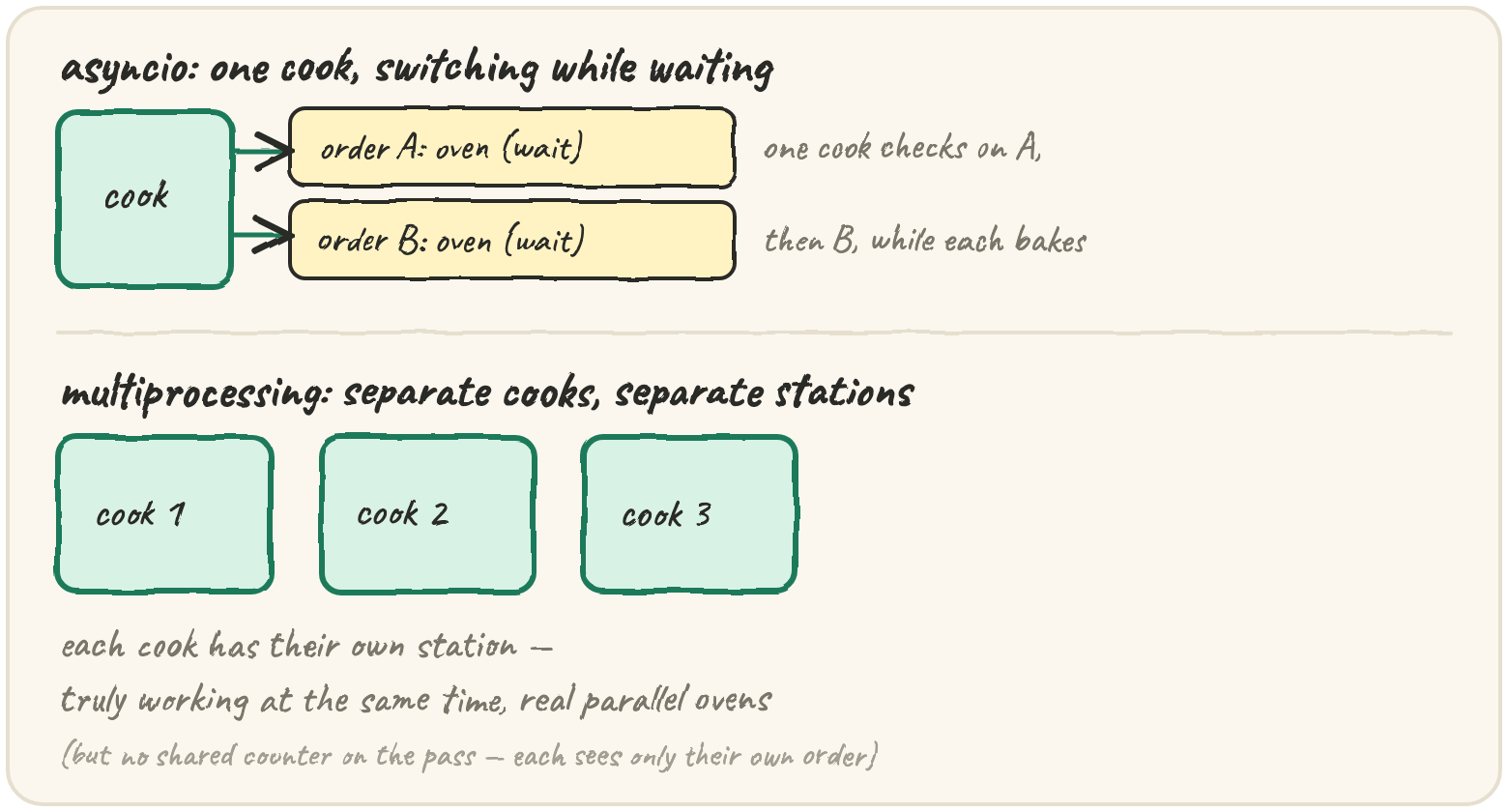
In short: asyncio gives you concurrency without threads at all — one
thread runs many async def coroutines, and each one explicitly says
await at the exact point it's waiting (for a socket, a timer, a file),
handing control back to an event loop that runs someone else in the
meantime. Nothing is preemptive: a coroutine only ever gives up control at an
await, which is why there's no GIL-style race on a shared variable between
two await points — you control the handoff. asyncio.run(...) starts the
event loop; asyncio.gather(...) runs several coroutines concurrently and
waits for all of them. multiprocessing.Pool solves the other problem —
real CPU-bound parallelism — by starting separate OS processes, each with
its own GIL, its own memory, actually running on different cores at once.
async/await and asyncio.run/gather run here, under plain Python;
multiprocessing needs real OS processes Pyodide doesn't have, so it's
read-only.
Juggle many waits on one thread
Two coroutines, run concurrently with gather. Watch when each print
happens, not just the final result:
Both starts print before either end — gather starts A, A runs until its
await, hands control back, B starts and runs to its await, and only
then does the event loop come back to resume A after its sleep. Nothing ran
in parallel; they took turns, and the turn-taking points are exactly the
awaits, visible right there in the source.
import asyncio

async def worker(name, wait):
    print(f"{name} start", end=" ")
    await asyncio.sleep(wait)
    print(f"{name} end", end=" ")

async def main():
    await asyncio.gather(worker("A", 0), worker("B", 0), worker("C", 0))

asyncio.run(main())
A real async function usually awaits something that actually takes time —
a network call, a database query — not asyncio.sleep(0). The sleep(0) is
just the smallest possible "I'll wait here," used to make the ordering
visible without actually waiting.
multiprocessing.Pool for real CPU parallelism
asyncio never helps CPU-bound work — one thread is still one thread,
GIL or not. For that, you need separate processes, each a full, separate
Python interpreter with its own GIL, genuinely running on different cores:
from multiprocessing import Pool

def square(n):
    return n * n

if __name__ == "__main__":
    with Pool(processes=4) as pool:
        results = pool.map(square, range(10))
        print(results)   # [0, 1, 4, 9, 16, 25, 36, 49, 64, 81]
pool.map sends chunks of range(10) to separate OS processes, each
computing square independently, genuinely in parallel. The cost: processes
don't share memory. Every argument and every result is copied (pickled)
between processes — fine for a list of numbers, expensive for a huge shared
data structure, and the reason if __name__ == "__main__": matters here (a
new process re-imports the file from scratch; without the guard, it would
try to spawn a new Pool inside each spawned process too).
Picking threads, processes, or asyncio
The question that decides it is always the same one from the previous lesson — is the work waiting, or computing? — plus one more: how many things are waiting at once.
| best for | why | |
|---|---|---|
| threading | a handful of I/O waits | simple, shares memory directly, but still one GIL |
| asyncio | thousands of I/O waits | one thread, explicit handoffs — scales far better than one OS thread per wait |
| multiprocessing | CPU-bound work | separate GILs, real parallel cores — the only one of the three that speeds up computation |
A web scraper needs to fetch 5,000 URLs. Each request mostly waits on the network. Which tool scales best to that many concurrent waits on one machine?
Quick practice
import asyncio

async def step(name, n):
    for i in range(n):
        print(f"{name}{i}", end=" ")
        await asyncio.sleep(0)

async def main():
    await asyncio.gather(step("A", 2), step("B", 2))

asyncio.run(main())Inside one asyncio coroutine, between two await points, can another coroutine on the SAME event loop run and change a variable this one is using?
🎯 Your turn
Write round_robin(tasks). tasks is a list of task step-lists — each inner
list is one cooperative task's steps, in order, as strings (like a
coroutine's print statements between its awaits). Simulate a round-robin
scheduler: in each round, give every task that still has steps left exactly
ONE step, in task order, then start the next round. Keep going until every
task is exhausted. Return the full execution trace as one flat list.
round_robin([["a1", "a2"], ["b1", "b2", "b3"]])→["a1", "b1", "a2", "b2", "b3"]
Hint: track each task's current position with a list of indices, one per task; loop rounds until every position has reached the end of its task.
Press ▶ Run, try the Live App chips, then ✓ Check. After that, the practice set below builds variations on the same scheduler — bursts of work per turn, and a configurable priority order.