
Formatters, Linters and Docs
In short: a formatter (black, yapf) rewrites a file's layout — spacing, line breaks, quote style — without touching what it does. A linter (ruff, and older tools like flake8 or pylint) reads the code without running it and flags real problems: an unused import, a variable used before it's defined, a bug a formatter would never catch because formatting isn't its job. ruff does both — it's a linter that also formats, fast enough to run on every save. None of these tools can run inside a browser (they're separate processes reading whole files), so this lesson reads real before/after snippets. What is plain Python, and genuinely useful on its own, is the simplest kind of linter: a function that reads a list of lines and reports problems.
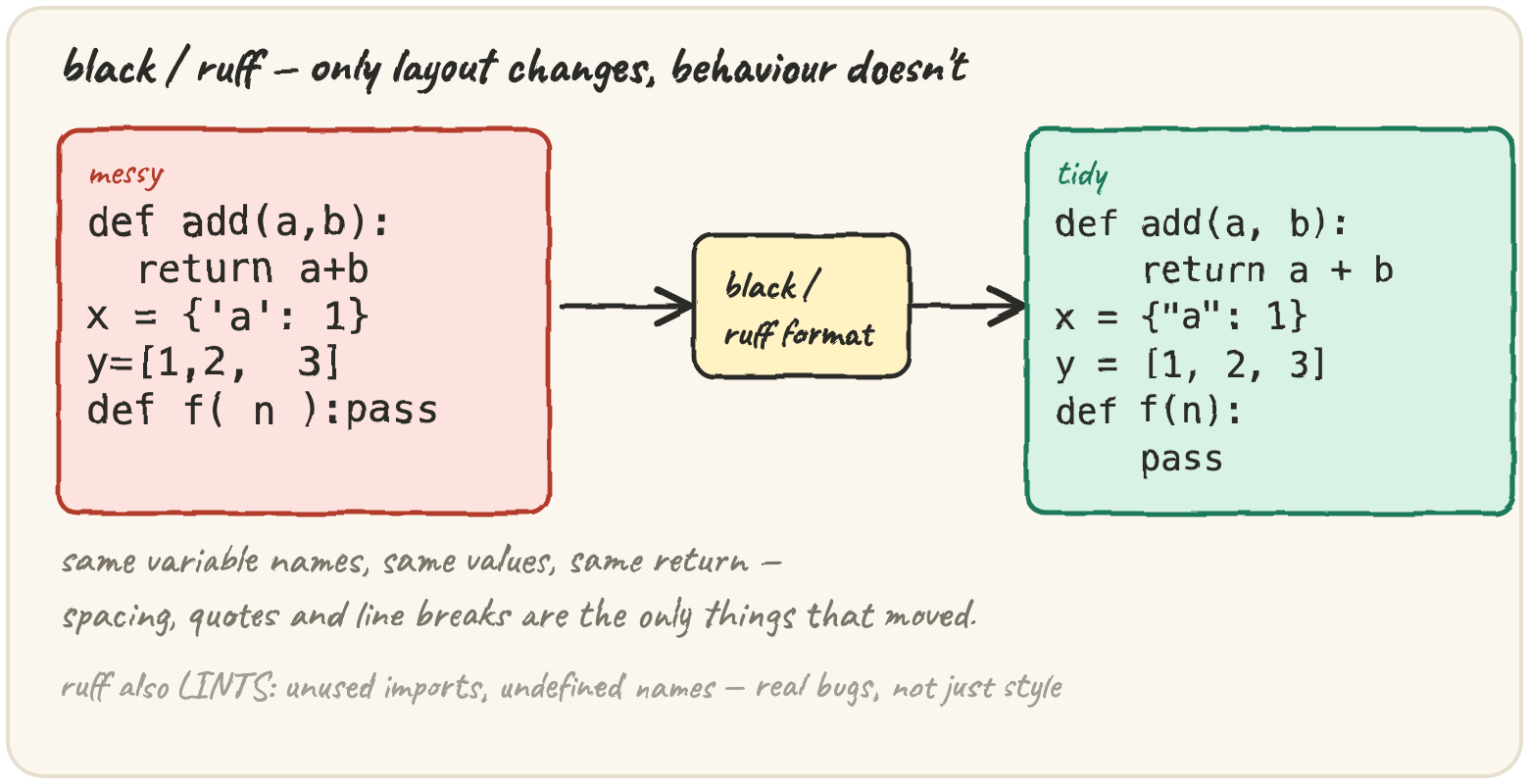
Reformat without changing behaviour
black and yapf both rewrite a file's layout to one consistent style. Nothing about what the code does changes — only how it's laid out on the page:
# before
def add(a,b):
  return a+b
x = {'a':1,'b':2}
y=[1,2,  3]

# after `black` (or yapf)
def add(a, b):
    return a + b


x = {"a": 1, "b": 2}
y = [1, 2, 3]
black's choices are not configurable by design (a handful of settings exist, like line length, but the point of black is that teams stop arguing about style — there's one answer). yapf predates black and is configurable, closer to a linter's custom rule file than an opinionated "just run it."
Catch a bug a formatter would never see
ruff (and its predecessors, flake8/pylint) read the code as a syntax tree, not just text, so they can reason about what names actually exist and get used:
# ruff flags both of these — neither is a formatting issue
import os          # F401: 'os' imported but unused
import json

def greet(name):
    return f"hello {nam}"   # F821: undefined name 'nam' (typo for 'name')
$ ruff check app.py
app.py:1:8: F401 'os' imported but unused
app.py:5:21: F821 undefined name 'nam'
Found 2 errors.Run the file and the typo doesn't crash until greet is actually called —
a code path a quick test might skip entirely. ruff finds it instantly,
without running anything, the same way mypy finds a type mismatch (previous
section) before the line that has it ever executes.
Document what a function promises
Sphinx builds a project's documentation website directly from docstrings —
the comment under def becomes a published page, so the two style
conventions below are really about what Sphinx can parse:
def total_price(items, tax_rate):
    """reST style (Sphinx's native format).

    :param items: list of (name, price) tuples
    :param tax_rate: fraction, e.g. 0.18 for 18%
    :returns: the total including tax
    """

def total_price(items, tax_rate):
    """Google style (needs the napoleon extension to parse).

    Args:
        items: list of (name, price) tuples
        tax_rate: fraction, e.g. 0.18 for 18%

    Returns:
        The total including tax.
    """
(A docstring can also hold runnable >>> examples — the doctest module
checks those actually produce the output shown. That module itself, and how
to run it, belongs with section-17's testing tools; here it's just one more
thing a well-documented function might contain.)
A formatter and a linter both read your file without running it. What's the real difference in what they're FOR?
Quick practice
def has_trailing_whitespace(line):
    return line != line.rstrip()

print(has_trailing_whitespace("clean"), has_trailing_whitespace("dirty "))It prints 3, but only 2 lines are genuinely too long. Find the line that's wrong before the loop even starts.
lines = ["def f():", "    pass", "", "", "", "x = 1"]
blank_run = 0
flagged = []
for i, line in enumerate(lines, start=1):
    if line.strip() == "":
        blank_run += 1
        if blank_run > 2:
            flagged.append(i)
    else:
        blank_run = 0
print(flagged)🎯 Your turn
Write lint_lines(lines, max_len=79). Check every line for two problems:
too long (len(line) > max_len) and trailing whitespace
(line != line.rstrip()). Return a list of [line_number, message] pairs
(line numbers starting at 1), in the order you find them — for a line with
both problems, report the length issue first.
lint_lines(["short", "x" * 85], max_len=79)→[[2, "line too long (85 > 79)"]]- A line
"dirty "(trailing spaces) → adds[line_number, "trailing whitespace"]
Hint: enumerate(lines, start=1) gives you 1-based line numbers directly;
check both conditions for every line and append a message for each one that
fires.
Press ▶ Run, try the Live App chips, then ✓ Check. After that, the practice set below builds the pieces of a small linter from scratch — and the fix on it that auto-corrects, the way a formatter would.