
CommonJS Modules
In short: CommonJS is Node.js's original module system:
require("./file") loads another file and returns whatever it assigned to
module.exports. require is an ordinary, synchronous function call —
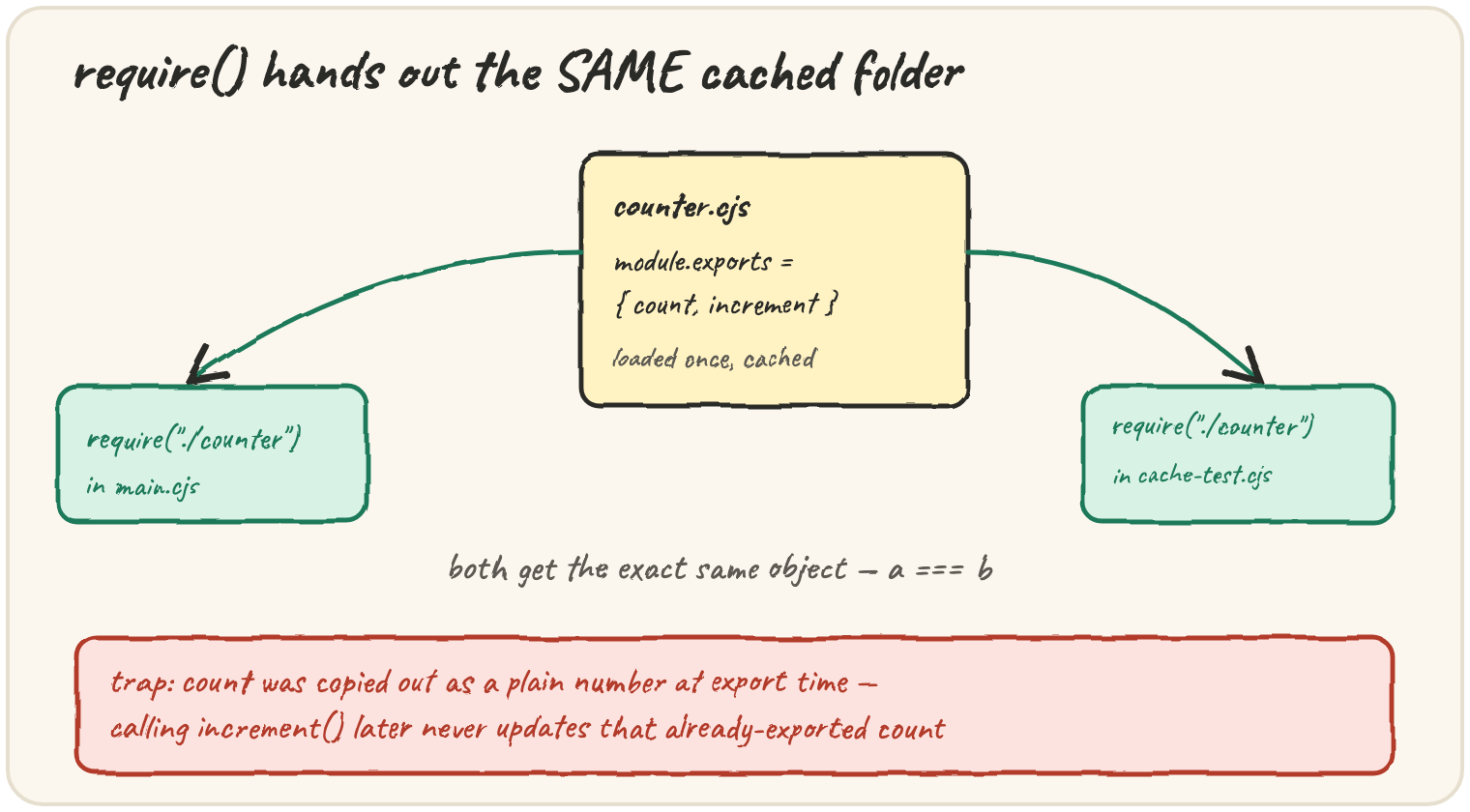
it can sit anywhere, including inside an if. Node caches each file
the first time it's required, so every later require of the same path
returns the exact same object, not a fresh copy. The trap: module.exports = { count } copies out count's current value at that instant — the
export is a snapshot, not a live connection to the variable back in the
module. This lesson's code needs real files on disk to run — read it,
don't run it.
Load the same module from two files
However many times a file is required, Node only actually runs it once —
every subsequent require of that path reuses the cached result:
// counter.cjs
let count = 0;
function increment() { count++; }
module.exports = { count, increment };

// main.cjs and cache-test.cjs, separately:
const a = require("./counter.cjs");
const b = require("./counter.cjs");
console.log(a === b); // true — the exact same object, not two copies
require isn't special syntax — it's a plain function, so it can be
called conditionally, inside a loop, anywhere a normal function call is
legal. That's one real difference from the static import the next lesson
covers.
The trap: an exported number that stops updating
module.exports = { count, increment } looks like it keeps count
connected to the module's internal variable — it doesn't:
// counter.cjs
let count = 0;
function increment() { count++; }
module.exports = { count, increment };

// main.cjs
const counter = require("./counter.cjs");
counter.increment();
console.log(counter.count); // 0, not 1
At the moment module.exports = { count, increment } runs, count is
0 — a plain number gets copied into the exports object as a value,
completely disconnected from the count variable still living inside
counter.cjs. Calling counter.increment() updates that internal
variable to 1, but has no way to reach back into the already-exported
object and update its count property, which stays 0 forever. The fix:
export a function that reads the variable fresh each time —
module.exports = { getCount: () => count, increment }; — so every call
sees the current value.
The trap: reassigning exports instead of module.exports
Node gives every module file a shorthand variable called exports, which
starts out pointing at the same object as module.exports — but
reassigning exports itself breaks that connection:
// broken.cjs
exports = { hello: "world" }; // reassigns the LOCAL variable exports — does nothing useful

// main.cjs
const mod = require("./broken.cjs");
console.log(mod); // {} — empty, not { hello: "world" }
exports = {...} only repoints the local exports variable to a new
object; it never touches module.exports, which is what require
actually returns. The safe habit: only ever assign to module.exports
directly, or add properties onto exports (exports.hello = "world")
rather than replacing it outright.
Quick practice
What does require("./file") return the second time it's called on the same path?
Given module.exports = { count, increment }; where count starts at 0, what does counter.count read after calling counter.increment()?
Why does exports = { hello: "world" }; fail to change what require returns?
Can require() be called conditionally, inside an if block?
What kind of module system is CommonJS?
🎯 Your turn
Given counter.cjs with
let count = 0; function increment() { count++; } module.exports = { count, increment };,
and main.cjs with
const counter = require("./counter.cjs"); counter.increment(); console.log(counter.count);,
explain exactly what gets printed and why, and how you would fix
counter.cjs so the exported count stays accurate.
Write your explanation and submit it — there's no code to run here, just your reasoning.