
Modifying the DOM
In short: document.createElement(tag) builds a brand-new element
that exists only in memory — nothing appears on the page until you attach
it with a method like .append(). To put text inside an element, prefer
.textContent: it sets the element's text literally, safely, no
matter what the string contains. .innerHTML instead parses its
string as real HTML, which means embedded tags — including <script> or
an onerror handler — can actually run. This lesson's code runs against a
real page, not this sandbox — read it, don't run it.
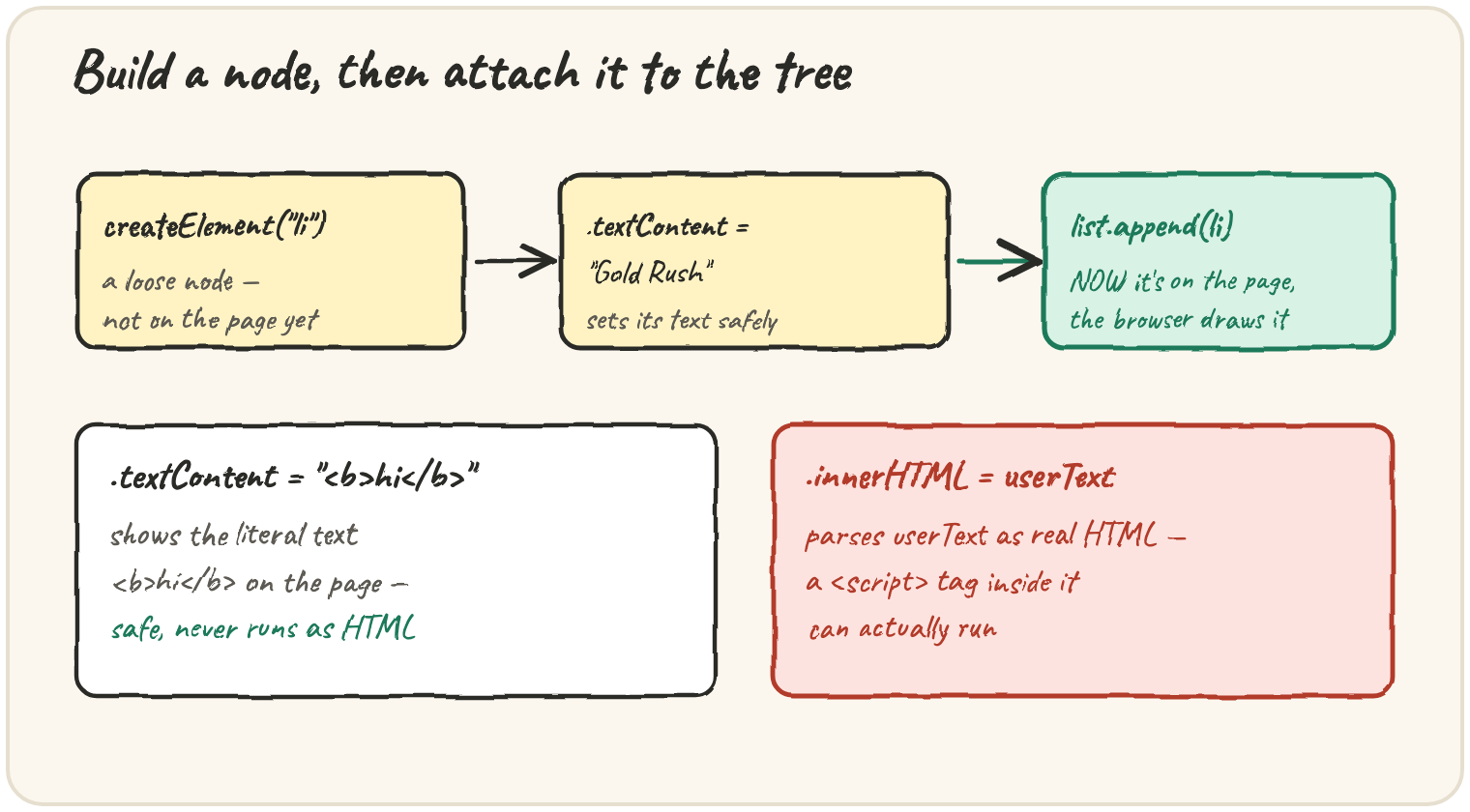
Build a song, then attach it to the list
A newly created element is inert until it's placed somewhere in the page's tree:
const li = document.createElement("li");
li.textContent = "Gold Rush";
console.log(document.querySelectorAll("li").length); // unchanged — li isn't attached yet

const list = document.querySelector("#songs");
list.append(li);
console.log(document.querySelectorAll("li").length); // now one more
createElement and .textContent = both happen entirely in memory — the
count of <li> elements on the page doesn't change until list.append(li)
actually inserts it into the tree the browser is rendering.
Show plain text safely
.textContent treats whatever string you give it as literal text,
even if that text looks like a tag:
const note = document.querySelector("#note");
note.textContent = "<b>hi</b>";
The page shows the literal characters <b>hi</b> — not bold text. Nothing
is parsed as HTML; the string is simply displayed exactly as written. This
is what makes .textContent safe for values a listener typed, a comment,
a search term, anything you didn't write yourself.
The trap: innerHTML runs what it's given
.innerHTML parses its string as real markup, and a string containing a
script-bearing tag can execute code the moment it's assigned:
const note = document.querySelector("#note");
note.innerHTML = userComment; // userComment came from a form field
If userComment is "<img src=x onerror=\"alert('hacked')\">",
.innerHTML actually builds that <img> element, its broken src
immediately fails, and the browser runs the onerror handler's
JavaScript — a real, executed script, from text a visitor typed. Any text
that didn't come from your own code belongs in .textContent, never
.innerHTML.
Quick practice
What does document.createElement("li") do, before it's attached anywhere?
What does el.textContent = "<b>hi</b>" show on the page?
What is the main danger of setting .innerHTML to text a visitor typed?
After const li = document.createElement("li"); li.textContent = "Gold Rush";, is li visible on the page?
Which property is the safe choice for displaying untrusted, user-supplied text?
🎯 Your turn
A comment box lets visitors type anything, including
<img src=x onerror="alert('hacked')">. Explain what happens if that
comment is shown with .innerHTML = comment versus .textContent = comment, and which one you should use and why.
Write your explanation and submit it — there's no code to run here, just your reasoning.