
Objects
In short: an object bundles named properties into one value — everything that isn't one of the six primitives (string, number, boolean, undefined, null, bigint, symbol) is an object, including arrays and functions. The rule that trips people up: primitives are copied, objects are shared. A variable holding a primitive holds the value itself; a variable holding an object holds a reference — an arrow to the object — so assigning it doesn't make a second object, it makes a second arrow to the same one.
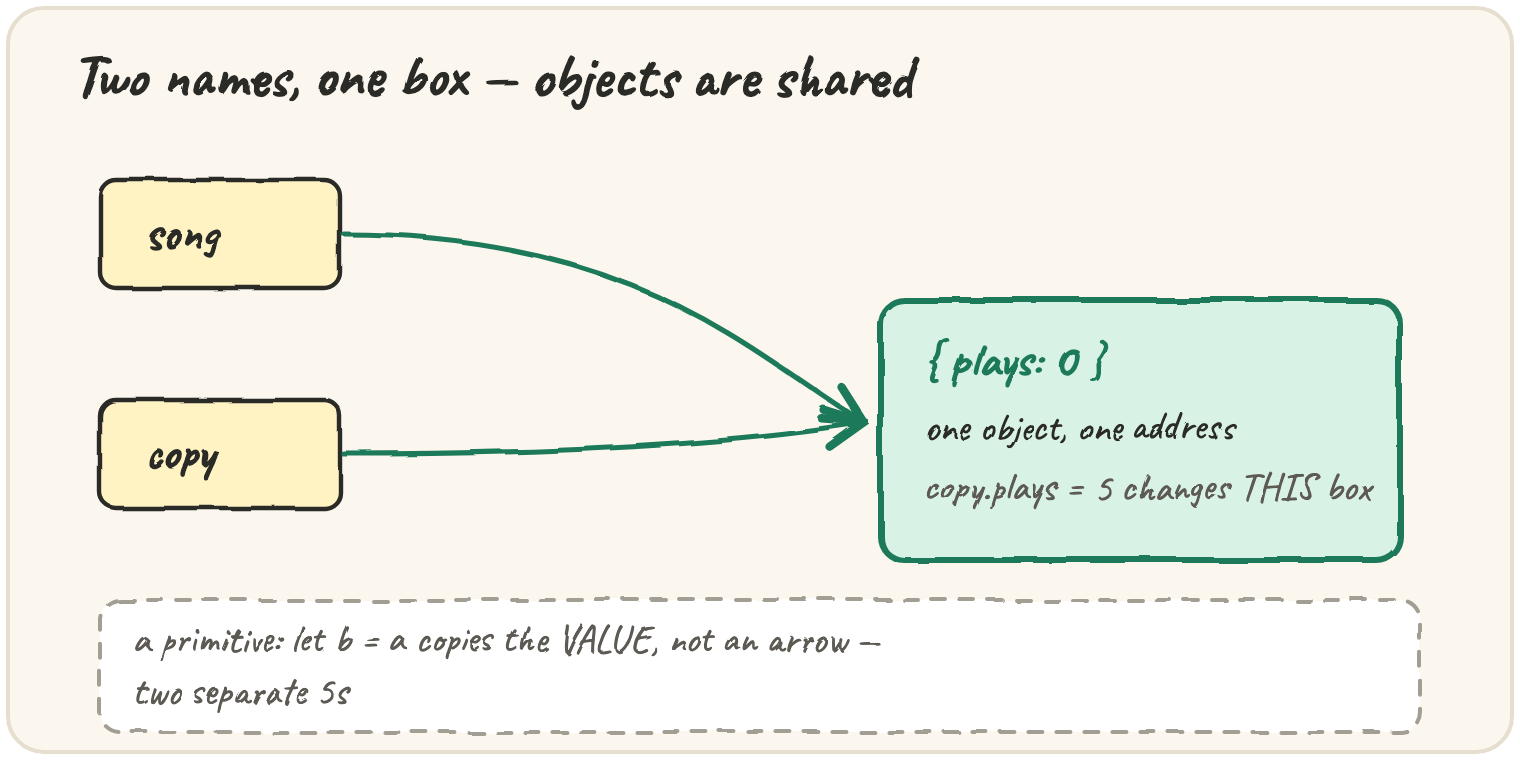
Two names for one song
Handing an object to a second variable doesn't clone it:
song and copy point at the same object, so a change made through either
name is visible through both, and === compares the arrows, which are
equal. Compare that with a primitive:
b = a copies the number itself, so b and a are independent from that
point on. Objects never work this way.
Create the object
const song = { plays: 0 }: one object box, andsongholds an arrow to it.
Reading a key that doesn't exist
Dot notation only ever looks for a property with that literal name:
song[key] reads the value stored in the variable key and uses it as the
property name — "title" — so it finds "Blue Hour". song.key looks for
a property that is spelled k-e-y, which this object doesn't have, so
it gives undefined. Use brackets whenever the key lives in a variable.
Two "equal" objects that aren't ===
A cache that checks "have I seen this object before?" with === gets
surprised by data that merely looks the same:
{ plays: 5 } === { plays: 5 } is false — two separate literals make two
separate boxes, even with identical contents; === on objects only ever
checks "is this the same box", never "do the contents match". To actually
get an independent copy, build a new object on purpose with { ...song }.
Quick practice
What does const s = { plays: 1 }; const t = s; t.plays = 2; console.log(s.plays); log?
What does console.log({ title: "A" } === { title: "A" }) log?
With const song = { title: "Blue Hour" };, what does song["title"] give?
Which of these is NOT an object in JavaScript?