
Naming Rules
In short: a legal JavaScript name must start with a letter, _ or $,
continue with letters, digits, _ or $, and must not be a reserved word
such as return or class. Break one of these and the whole file refuses
to run. Names are also case-sensitive — plays and Plays are two
different names — which only fails when that line actually runs, sometimes
long after you wrote it. On top of the hard rules sit habits: camelCase
for variables, UPPER_SNAKE_CASE for fixed settings, PascalCase for
classes.
Count the songs in a playlist
A good name says what the value means. Compare a name that tells you nothing with one that does:
songCount beats num, isPlaying beats flag. The style is a habit, not
a hard rule — but it is the habit every other JavaScript file you will ever
read already follows.
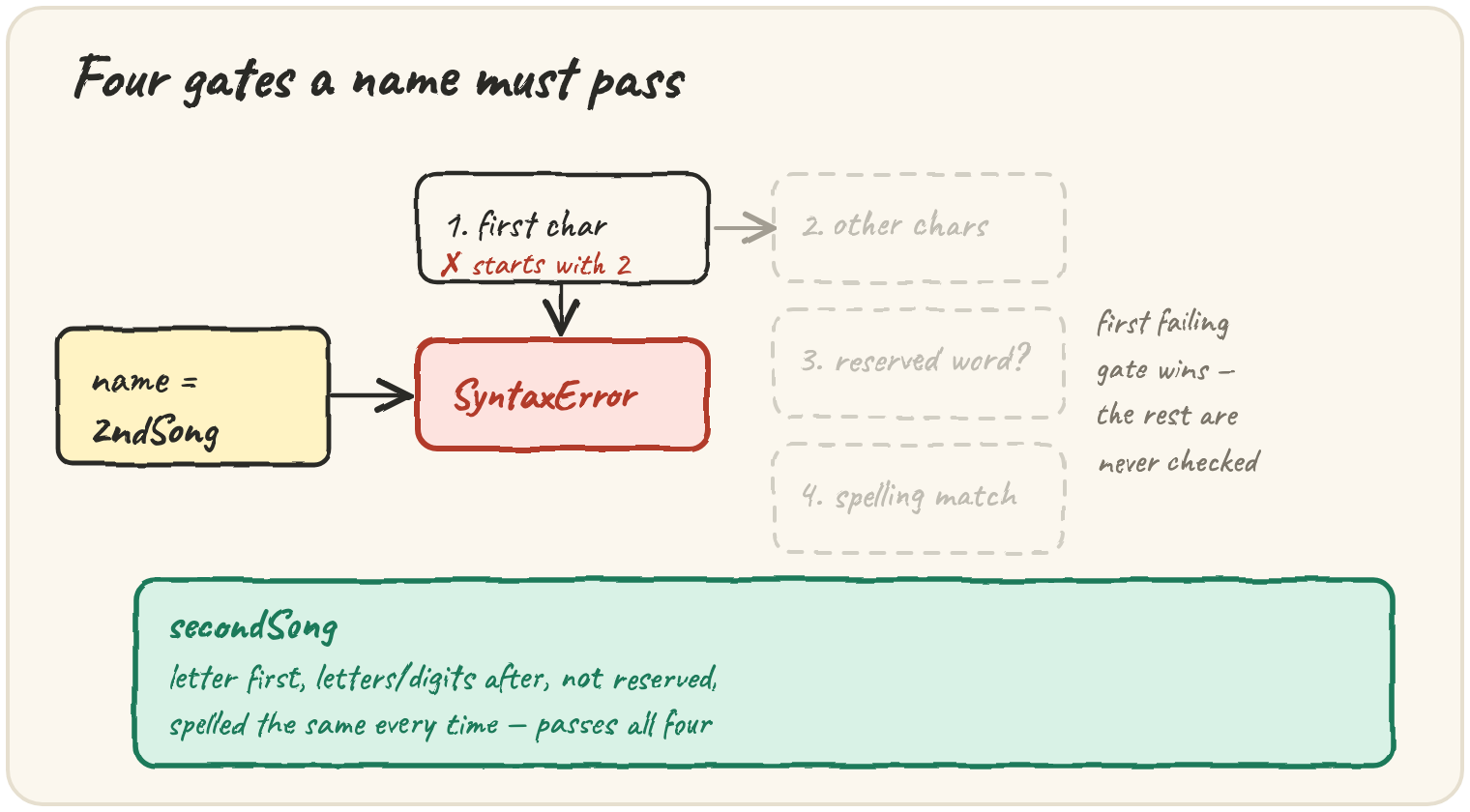
A name that starts with a digit
The first character has exactly one hard rule: a letter, _ or $ — never
a digit. Breaking it stops the whole script before any line runs:
This throws SyntaxError: Invalid or unexpected token, and nothing prints,
even if there were working lines above it — a syntax error is caught while
the script is being read, before any of it executes. The fix is
let secondSong = "Blue Hour";.
A hyphen read as subtraction
Spaces, hyphens and dots are never allowed inside a name, because the engine reads them as operators:
JavaScript reads this as song minus title, and minus cannot appear on
the left of =, so it throws SyntaxError: Unexpected token '-'. Use
camelCase instead: songTitle.
A spelling mismatch that only fails when it runs
return, class, const and other words the language uses for itself
cannot be names at all — that fails immediately, the same way the digit and
hyphen cases did. Case-sensitivity is different: the name is legal, so the
script starts running, and only the mismatched line fails:
This prints nothing from a successful log — it throws
ReferenceError: Plays is not defined, because Plays (capital P) was
never declared. plays and Plays are two separate names. This is the trap
that survives past the first read of the file: it is invisible until the
exact line that uses the wrong case actually runs.
2ndSongFirst character is a digit. Fails pass 1. Rename to
secondSong.
Quick practice
Which of these is a valid variable name?
What happens when let plays = 1; console.log(Plays); runs?
Which name follows the usual JavaScript style for a variable?
Why is const class = "rock"; rejected?
Which of these names is NOT allowed?
🎯 Your turn
A teammate wrote let 1stTrack, let track-length, const return = true
and later used trackcount for a variable declared as trackCount. Explain
what is wrong with each and give a better name.
Write your explanation and submit it — there's no code to run here, just your reasoning.