
DOM Events
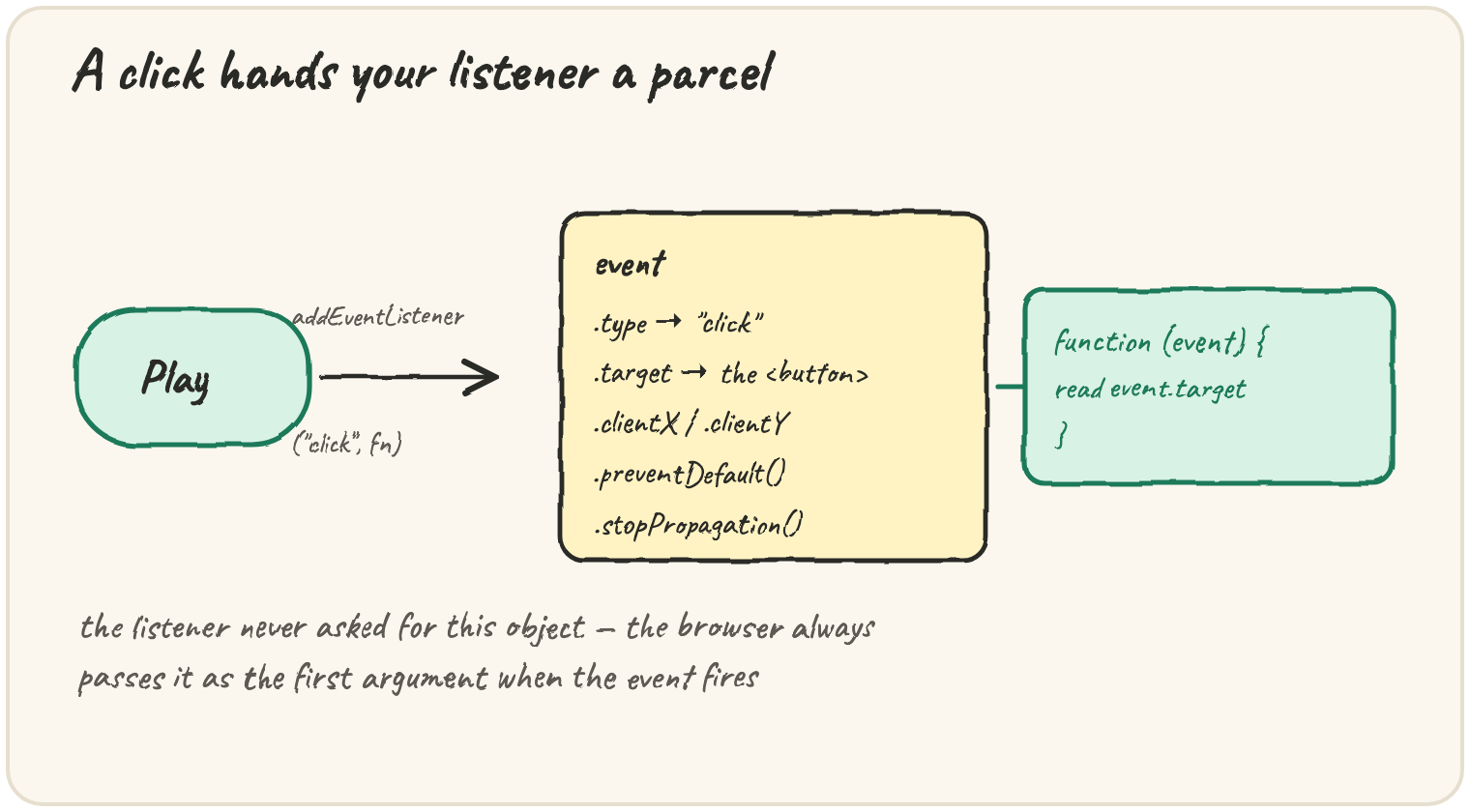
In short: element.addEventListener("click", fn) attaches fn so it
runs whenever that event fires on that element. The browser always calls
your listener with one argument, the event object, whether you asked
for it or not. It carries .type (which event fired), .target (the
exact element that triggered it), and two important methods:
.preventDefault() cancels the browser's built-in reaction (like a form
reloading the page), and .stopPropagation() stops the event from also
firing on that element's ancestors. This lesson's code runs against a real
page, not this sandbox — read it, don't run it.
Read which element was clicked
The listener function receives the event object as its first parameter —
name it whatever you like, event is conventional:
const button = document.querySelector("#play");

button.addEventListener("click", function (event) {
  console.log(event.type);        // "click"
  console.log(event.target);      // the exact <button> element clicked
  console.log(event.target === button); // true
});
event.type confirms which kind of event fired — useful when one function
listens for several event types. event.target is always the specific
element the event happened on, which matters most once a single listener
covers several children (see below).
Stop a form from reloading the page
Many DOM events have a default action the browser performs alongside
your listener — clicking a submit button normally reloads or navigates the
page. .preventDefault() cancels just that:
const form = document.querySelector("#signup");

form.addEventListener("submit", function (event) {
  event.preventDefault(); // stop the page from reloading
  console.log("validating without a reload...");
});
Without event.preventDefault(), the listener's code still runs, but the
browser also carries out its default behaviour regardless — the page
reloads anyway, and any work the listener did (like showing a validation
message) disappears with it.
The trap: a click that also reaches its parent
Events bubble: a click on a child element also fires listeners attached to every ancestor, one after another, unless something stops it:
document.querySelector("#playlist").addEventListener("click", () => {
  console.log("playlist container clicked");
});

document.querySelector("#play").addEventListener("click", (event) => {
  console.log("play button clicked");
  event.stopPropagation(); // the playlist's listener above never runs for this click
});
Clicking the #play button prints "play button clicked" only — without
event.stopPropagation(), it would print both lines, because the click
also bubbles up to the #playlist container's own listener.
Quick practice
What does the browser pass as the first argument to a DOM event listener?
What does event.target refer to inside a click listener?
A form's submit listener never calls event.preventDefault(). What happens when it's submitted?
What does event.stopPropagation() do?
Which method cancels a link's default "navigate to a new page" behaviour?
🎯 Your turn
A form's submit button reloads the page every time it's clicked, even
though a listener is attached to validate the input first. The listener is
form.addEventListener("submit", function (event) { if (!isValid(event.target)) { console.log("invalid"); } });.
Explain what's missing and fix it.
Write your explanation and submit it — there's no code to run here, just your reasoning.