
JSON
In short: JSON (JavaScript Object Notation) is the text format almost
every language and web service uses for structured data. JSON.stringify
turns a live JavaScript value into JSON text, and JSON.parse turns that
text back into a value. JSON is stricter than JavaScript object syntax:
double quotes only, no functions, no undefined, no trailing commas.
Anything JSON cannot represent — a function, undefined — is silently
dropped by stringify, and parse always builds a brand-new value,
never the original one back.
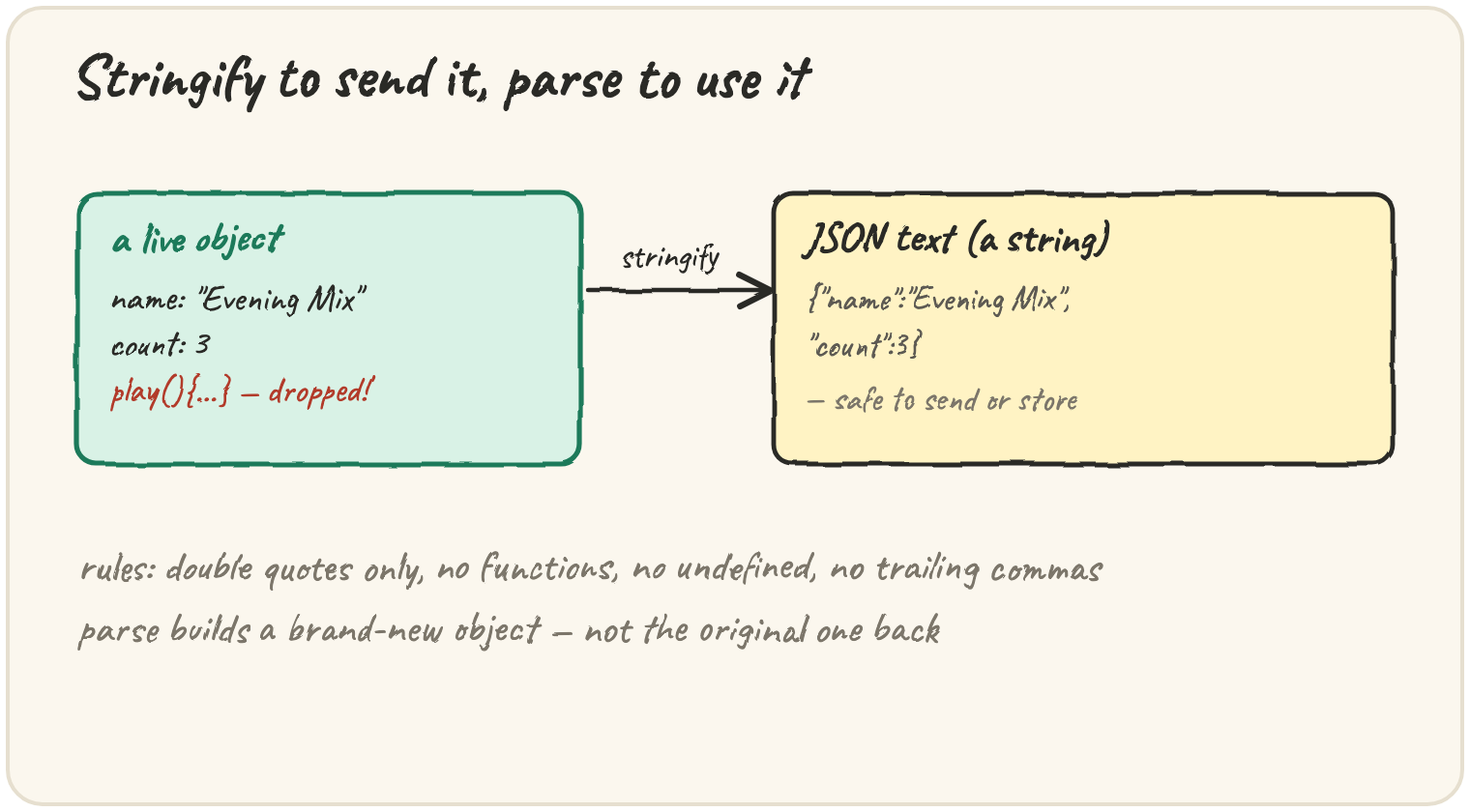
Save a playlist as text and load it back
Nothing outside JavaScript can hold a live object; it can only hold text.
stringify and parse are the two functions that cross that boundary:
text is a string — you could save it to localStorage, send it over the
network, or write it to a file. back is a new object built fresh from
that string, and it behaves like any other object: back.count + 1 is 4.
Save
localStorageonly stores strings, so writelocalStorage.setItem("mix", JSON.stringify(playlist)).
Stringify a function and a missing value
JSON has no concept of a function or of undefined. stringify does not
error on them — it simply leaves them out:
This prints {"a":1} — the b property vanishes entirely, rather than
becoming null or the text "undefined". The same happens to any method
on an object you stringify: functions never survive the trip through JSON.
Parse a value and lose its original type
JSON.parse returns exactly the type that was written in the text — including
when that type is not the one you expected:
This prints "51", not 6. The JSON text stored "5" in quotes, so it is
a string both before and after parsing, and + with a string joins text
instead of adding numbers. JSON keeps exactly the types it was given — if a
value needs to be a number, it must be written as one, with no quotes:
{"plays": 5}.
Quick practice
What is typeof JSON.stringify({ plays: 1 })?
What does JSON.stringify({ a: 1, b: undefined }) return?
Which of these is valid JSON?
What is JSON.parse("[1, 2]").length?
What does JSON.parse('{"plays": "5"}').plays + 1 give?
🎯 Your turn
You save { name: "Evening Mix", count: 3, shuffle: undefined, play() {} }
with JSON.stringify and load it back with JSON.parse. Explain what
comes back and why.
Write your explanation and submit it — there's no code to run here, just your reasoning.