
Explicit Type Casting
In short: to change a value's type on purpose, name the type and call it
— Number(), String(), Boolean(). Number() demands the whole
trimmed string be numeric or it gives NaN; parseInt/parseFloat read
from the start and stop at the first character that doesn't fit. String()
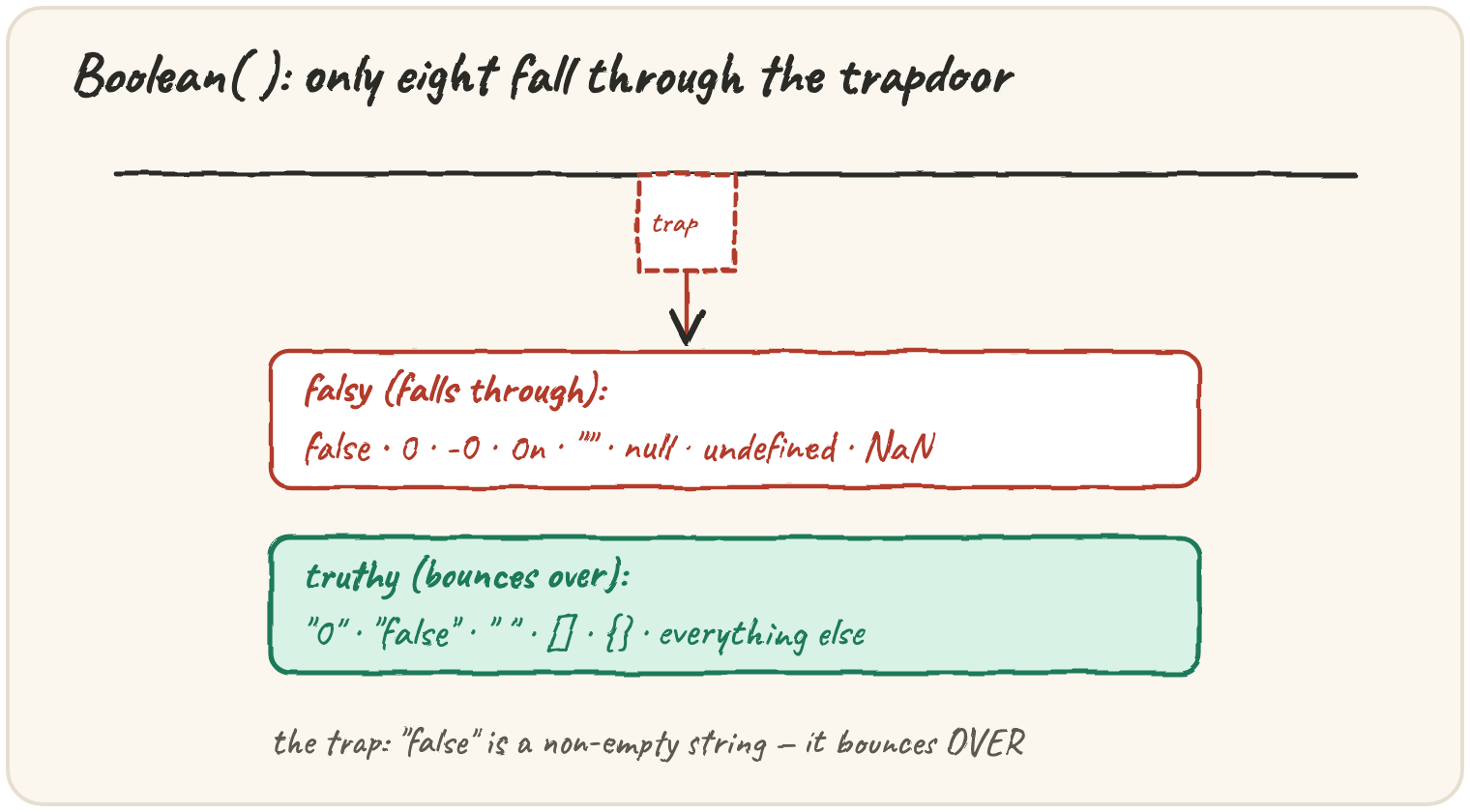
works on anything, even null. Boolean() follows the simplest rule in the
language: exactly eight values are falsy, everything else is truthy — and
several truthy ones look false at a glance.
Turning a typed length into a number
A listener types a song length into a box; the code receives a string and must convert it before doing maths:
Number() is all-or-nothing: if any character isn't part of a valid
number, the whole result is NaN. Number("214s") fails because of the
trailing s, even though the useful part is right there.
Reading the leading number from messy text
When the text has other characters mixed in on purpose — like a unit —
parseInt and parseFloat read only the numeric part at the start:
parseInt("3.5 min", 10) reads digits until it hits a character that
doesn't fit an integer — the dot — so it stops at 3, silently dropping
the .5. parseFloat understands one decimal point, so it correctly reads
3.5. Always pick parseFloat for anything that might have a fraction,
and always give parseInt its second argument, 10, so digits are read in
base ten.
The input
The listener types
"3.5 min".
A checkbox value that looks false but isn't
Boolean() looks simple until a string enters the picture:
Boolean("false") is true — it's a non-empty string, and only the exact
eight falsy values (false, 0, -0, 0n, "", null, undefined,
NaN) convert to false. Text that says "false" is still text. The safe
fix for a stored checkbox value is comparing the text directly:
const checked = value === "true";.
Quick practice
What is Number("42px")?
What is parseInt("42px", 10)?
What is Number("")?
Which of these values is falsy?