
How to Run JavaScript
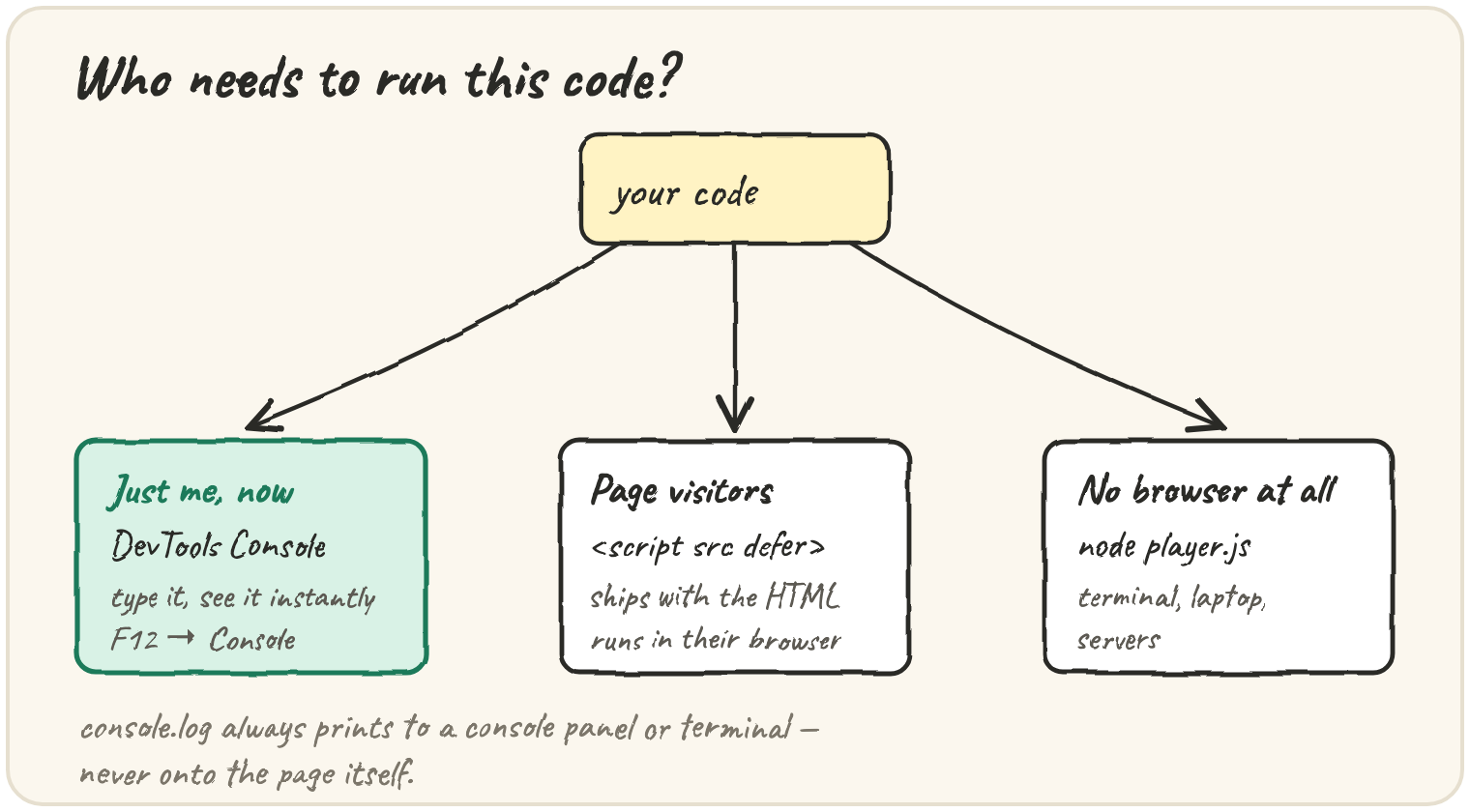
In short: there are three everyday places to run JavaScript, and each
fits a different job. The browser console runs whatever you type,
instantly — for trying an idea. A <script> tag in an HTML page ships
code to real visitors, and defer makes sure the page's elements exist
before the script looks for them. Node.js runs a .js file with no
browser at all, for servers and command-line tools. Wherever it runs,
console.log(value) prints to that place's console — never onto the page
itself.
Check a quick result in the console
Every browser's developer tools (usually F12, or right-click → Inspect) has a Console tab that runs whatever you type, right away. Nobody else needs the answer, so there is no reason to build a page for it:
In the real console you would type 214 / 60 directly and read the answer
underneath it. A run block behaves the same way: it runs your code and shows
what it prints.
Ship code to page visitors with a script tag
Code that a page's visitors must run every time they load it belongs in a file, loaded with a script tag:
<script src="player.js" defer></script>defer tells the browser to finish reading the HTML before running the
script. Without it, a script in <head> runs before the <body> exists, so
document.querySelector("#play") returns null — the element it is
looking for has not been read yet. Adding defer, or moving the script to
the end of <body>, fixes it. This code needs a real page to run in, so it
is shown here rather than run live.
Run a script with no browser at all
A job with no web page involved — renaming files, processing data, running a server — has no DOM to touch, so it runs with Node.js from a terminal instead:
// count.js
console.log("Counting songs in the folder...");
node count.jsNode executes the file directly and prints to the terminal. This is also how the servers behind most web apps are built: the same language, running with no browser underneath it.
Checking a quick result
You wonder what
214 / 60gives. Nobody else needs it, so type it in the console: about 3.57.
Quick practice
What is the quickest way to check what "4" + 2 produces?
Which command runs the file player.js with Node.js?
Which attribute of the script tag points to an external JavaScript file?
In a web page, where does console.log("hi") show its output?
A script in <head> without defer calls document.querySelector("#play") and gets null. Why?
🎯 Your turn
You want to (a) check what 214 % 60 gives, (b) make a playlist page's
Shuffle button work for visitors, and (c) run a script on your laptop that
renames music files. Explain where you would run the code in each case and
why.
Write your explanation and submit it — there's no code to run here, just your reasoning.