
Capstone — Quarry's Diff Engine
In short: a line-by-line diff is the LCS table from lesson 2, run over
whole lines instead of letters, with the walk-back from lesson 4 turning the
table into kept/removed/inserted output lines in file order. Splitting text
into lines is part of the algorithm — splitlines() and split("\n") disagree
about a trailing newline, and that difference shows up as a phantom diff line
if you're not careful.
Quarry now has four pieces of version history. The reorderer knows which blocks can stay put. The survival score says how much of a document lived through an edit. The typo checker measures how far apart two strings are. The edit script turns a table into keep, delete, insert. What Quarry still can't do is the thing a person actually clicks on: show me what changed between these two revisions, as text, line by line.
That's a diff. You'll build it from the table you already know, run it on real documents, and then, in the exercises, apply it, reverse it, colour it word by word and cut it into hunks.
What the engine returns
Two revisions come in as whole strings. The engine:
- splits each into lines,
- fills the LCS table over the lines,
- walks back from the corner with the tie rule from lesson 4 (a match goes
diagonal; otherwise left when
table[i][j-1] >= table[i-1][j], else up), - writes each step as one line of output:
" "+ line for a kept line,"-"+ line for a deleted one and"+"+ line for an inserted one, - and counts them.
Here's the table for a small settings file. Old version down the side, new version across the top:
The same LCS table as lesson 2, over whole lines. The path back from the corner is the diff.
Row 0 and column 0 compare against an empty file. 5 by 6 table. At row 0, column 0 — value 0. 10 of 30 cells filled.
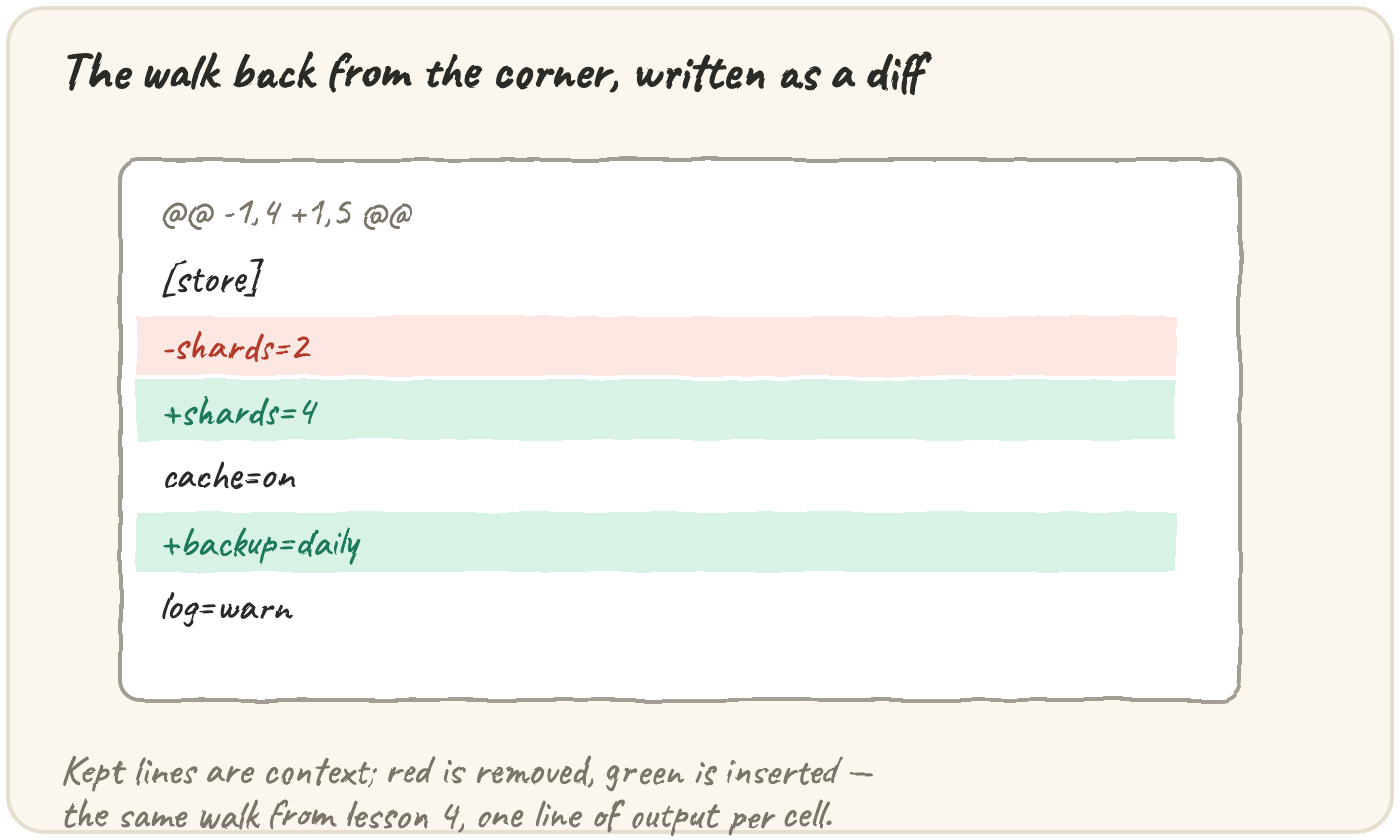
Reversed, that walk is the diff:
 [store]
-shards=2
+shards=4
 cache=on
+backup=daily
log=warnFor m and n lines, filling the table is O(m · n) time, one constant-work
comparison per cell, and keeping it costs O(m · n) space — the walk back
afterwards only adds O(m + n) on top.
Splitting lines is part of the algorithm
The table compares whole lines with ==, so whatever the splitter produces is
what gets compared. Files usually end with a newline, and the two ways to split
disagree about what that means:
text = "[store]\nshards=2\n"
print(len(text.split("\n")), len(text.splitlines()))That difference shows up in a diff as a phantom line:
Both versions hold the same two lines; the second just has no final newline. The engine reports one removed line. Split the text so that a final newline doesn't create an extra empty line.
Counting the change
Once the lines exist, the counts are one pass. Step through it:
The kept count is also the corner of the table, which gives you a free check:
lines = [" a", "-b", "+B", " c", "-d"]
kept = sum(1 for line in lines if line[0] == " ")
old_count = sum(1 for line in lines if line[0] != "+")
new_count = sum(1 for line in lines if line[0] != "-")
print(old_count - kept + new_count - kept)Your diff, drawn
Put two versions of any file into v1 and v2 and run it. The table fills from
your own loop, then the path back from the corner lights up one diff line at a
time. Keep the files short: the grid holds up to 1,600 cells.
Your own diff: the table over whole lines, then the path that becomes the output, one line per lit cell.
Idioms & real-world patterns
Hunks
A real diff doesn't print every kept line of a 2,000-line file to show one
change. It prints hunks: each run of changes with a few lines of context
around it, under a header like @@ -3,4 +3,5 @@ (old start and length, new start
and length). Two changes whose context would overlap share one hunk. The
capstone exercise builds exactly that.
Patches go both ways
A diff is a recipe. Read its " " and "+" lines and you get the new file. Read
its " " and "-" lines and you get the old one. Checking that the old file
really matches the recipe before applying it is how a patch tool refuses to
apply a patch made against a different version. That's the drill exercise.
⚡ Advanced: why real tools are faster
The table is O(m · n) for two files of m and n lines. Two 50,000-line files would need 2.5 billion cells. Production diff tools use algorithms whose cost grows with the number of differences as well as the length, so that a small edit to a huge file is cheap. They also strip the common prefix and suffix first, which on a typical edit leaves a tiny table. The output format is the one you're about to write.
⚡ Advanced: words inside a line
shards=2 → shards=4 shows as a whole line deleted and another inserted. Run
the same engine over the words of the two lines and you can mark just the
part that changed. The build exercise does this.
Quick practice
def diff_lines(old, new):
    a, b = old.splitlines(), new.splitlines()
    m, n = len(a), len(b)
    t = [[0] * (n + 1) for _ in range(m + 1)]
    for i in range(1, m + 1):
        for j in range(1, n + 1):
            t[i][j] = t[i - 1][j - 1] + 1 if a[i - 1] == b[j - 1] else max(t[i - 1][j], t[i][j - 1])
    out, i, j = [], m, n
    while i > 0 or j > 0:
        if i > 0 and j > 0 and a[i - 1] == b[j - 1]:
            out.append(" " + a[i - 1]); i, j = i - 1, j - 1
        elif j > 0 and (i == 0 or t[i][j - 1] >= t[i - 1][j]):
            out.append("+" + b[j - 1]); j -= 1
        else:
            out.append("-" + a[i - 1]); i -= 1
    return out[::-1]

print(diff_lines("a\nb\n", "b\na\n"))A one-line replacement should print the old line removed, then the new line inserted, but this prints the new line first. Fix the comparison operator.
🎯 Your turn
Write diff_versions(old, new). Both are whole documents as strings. Split them
with splitlines(), fill the LCS table over the lines, and walk back with the
lesson 4 rule (match → diagonal; else left when table[i][j-1] >= table[i-1][j];
else up). Return:
{"lines": [...], "added": a, "removed": r, "unchanged": u}where each entry of lines is " ", "-" or "+" followed by the line's text,
in order from the top of the file.
diff_versions("a\nx\nc\n", "a\ny\nc\n")→{"lines": [" a", "-x", "+y", " c"], "added": 1, "removed": 1, "unchanged": 2}diff_versions("", "only\n")→{"lines": ["+only"], "added": 1, "removed": 0, "unchanged": 0}
Then press ▶ Run, tap the Live App try chips to call it with different inputs, and hit ✓ Check. Green means this piece of the app is built. ✅