
Skip to the workspace
Pebellslearn by building
Introduction to C++  ›  Lesson

What Is C++?

What is C++? 12 minC++ is a compiled, statically typed, general-purpose language that turns source code into machine code before the program runs.

Set up C++ and run your first file

Install a compiler toolchain, then build and run a tiny program. Saving source code creates a text file; the compiler must turn it into an executable before your computer can run it.

Already set up? Continue to the lesson

New to coding? Meet the tools and find the terminal
Compiler
Checks source code and translates it into machine-code pieces.
Linker and libraries
Combine the pieces and the support needed to make an executable.
Text editor
Saves source files. The C/C++ extension in an editor does not replace a compiler.

A terminal is a window for commands. Its shell interprets those commands. PATH is the list of folders the shell searches for programs. An editor extension adds editing help; it usually does not install the language itself.

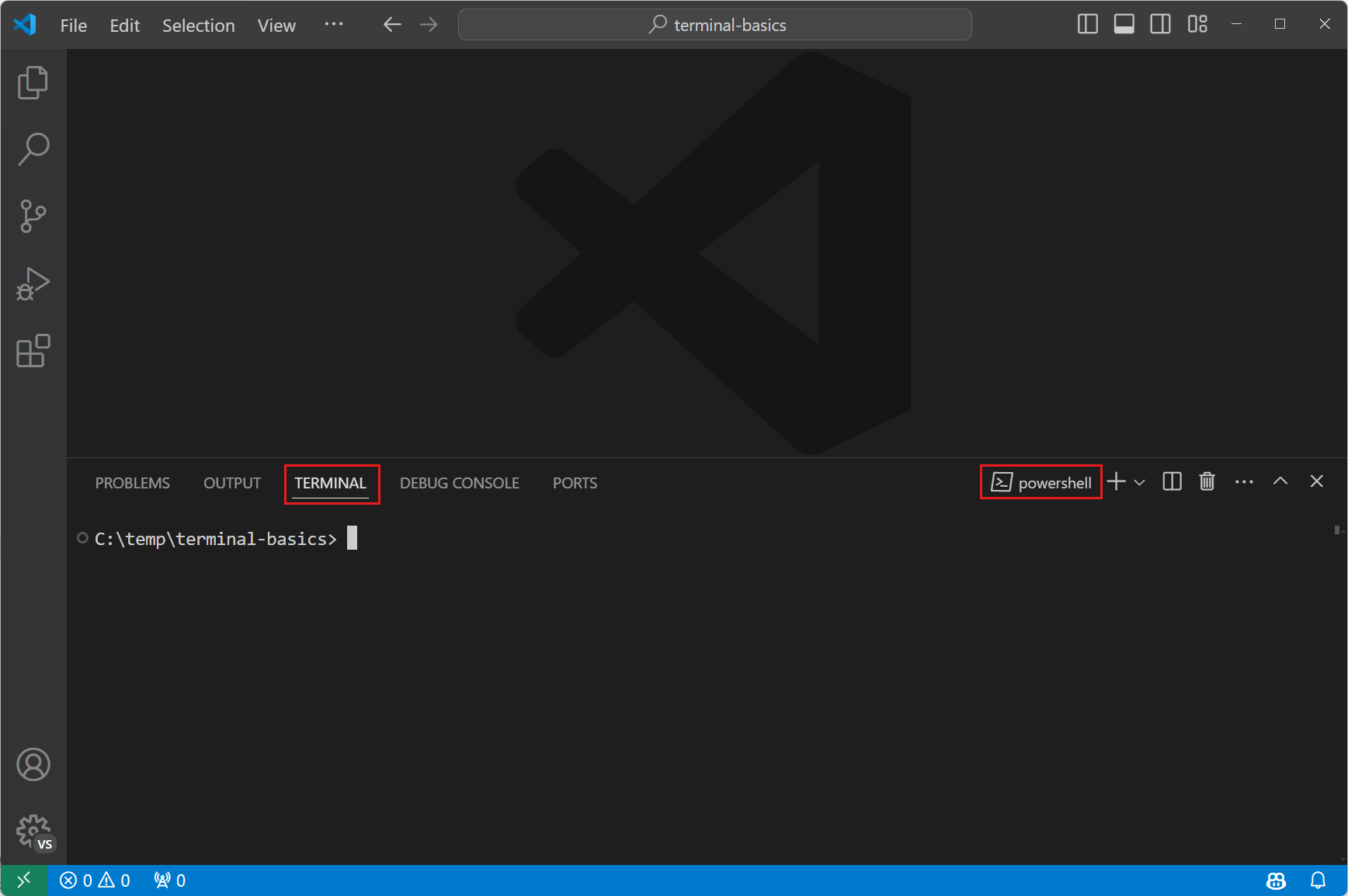
In VS Code, open your project folder, then choose View → Terminal. Type at the cursor in the Terminal panel, not in Output, the source file, or the browser address bar. Our command blocks omit prompt symbols such as $ and >; do not add them.

Official VS Code screenshot: the Terminal tab is selected below the editor, with the PowerShell shell name at the right and a command prompt at the left.
Find the Terminal tab and shell name. Open full-size screenshot (new tab).

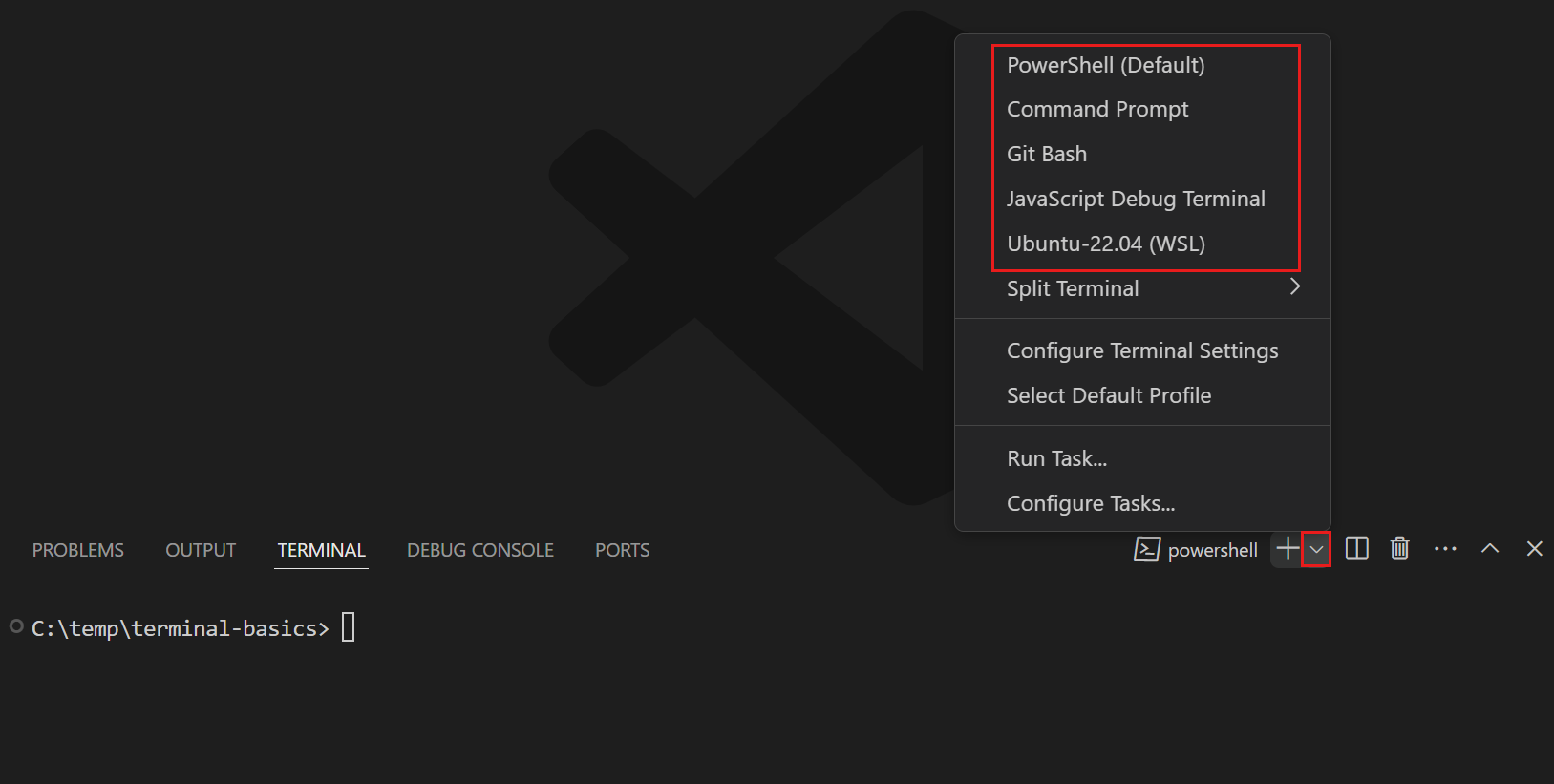
The dropdown next to the plus button selects a shell. Choose the shell named in your operating-system instructions below. Available choices depend on what you installed.

Official VS Code screenshot: the arrow beside the terminal plus button opens a list containing PowerShell, Command Prompt, Git Bash and Ubuntu WSL.
Official documentation screenshots by Microsoft, VS Code terminal guide, CC BY 3.0 US. Unmodified; your version may look different.

Choose a system to see its installation steps. A computer is needed for these local setup instructions.

Official documentation and illustrated guides

Instructions reviewed 2026-10-27. Use the linked installer page for current versions and supported operating systems.

Continue to the lesson

cpp / What Is C++?

Explore each scene at your own pace.

01 · The rule

The rule

What Is C++?

C++ is a compiled, statically typed, general-purpose language that turns source code into machine code before the program runs.

Connect compiled execution, abstractions and resource control in a small C++ program.

Imagine you are building Rocket Run, a small arcade game: a rocket dodges asteroids, collects coins and tries to beat a high score. It must redraw the screen dozens of times a second on anything from a gaming PC to a cheap laptop. That kind of job is exactly what C++ was designed for, and Rocket Run will be our example for the whole course.

The rule

C++ is translated to machine code before it runs, and checked on the way.

Three ideas are packed into that line.

  • Compiled. A program called a compiler reads your source file and translates it into machine code, the instructions your processor executes directly. The finished program runs without the compiler.
  • Checked. Every variable has a type fixed in the source, such as int for whole numbers. The compiler checks all of them before producing anything. This is called static typing.
  • General purpose, many styles. You can write plain step-by-step functions, group data and behaviour into classes, or write generic code with templates. C++ lets you mix all three.

Here is the smallest piece of Rocket Run:

#include <iostream>

int main() {
    int lives = 3;
    std::cout << "Lives: " << lives << '\n';
}

A little history helps the names make sense. Bjarne Stroustrup started the language at Bell Labs in 1979 as "C with Classes", and it was renamed C++ in 1983 (++ means "add one" in C). Today an ISO committee publishes a new standard every three years: C++11, 14, 17, 20 and 23. This course uses C++17 and C++20.

Scene 1 of 5
Hover to wake the cannons. Drag to move, or use arrow keys when focused. Press Enter to fire a shot.